
Xây dựng api doc cho frontend cho item - Xây dựng api adayroi
Xây dựng api adayroi
← Toàn bộ tài liệu
Phần này giúp chúng ta xây dựng nội dung doc (Tài liệu) của api
Tên file cần tạo items.xml nhớ là có s nhé
Nơi tạo file: apps/ecommerce/api_doc
Nội dung file
<?xml version="1.0" encoding="utf-8"?>
<list_api>
    <scope type="get" route=""  authorization="false">
        <content summary="get list item" description="get list item" type="list">
            <parameters name="Content-Type" type="string" required="true" in="header" example="application/json" />
            <parameters name="Authorization" type="string" required="true" in="header" example="Bearer 123" />
            <parameters name="limit" type="string"  description="Limit"   in="query" example="20"   />
            <parameters name="start" type="string" description="start"   in="query" example="0"   />
        </content>
    </scope>

    <scope type="get" route="/{id}"  authorization="false">
        <content summary="get  item by id" description="get  item id" type="item">
            <parameters name="Content-Type" type="string" required="true" in="header" example="application/json" />
            <parameters name="Authorization" type="string" required="true" in="header" example="Bearer 123" />
            <parameters name="id" type="string"  description="id"   in="path" example=""   />
        </content>
    </scope>
</list_api>
Chú ý: các item
Quan sát fiile item.xml này ta thấy có 2 phần api
màu vàng: là api lấy ra danh sách car, theo điều kiện dữ liệu truyền vào là limit: là số bản ghi cần lấy, start: bắt đầu lấy từ vị trí nào
Màu xanh nhạt: là api lấy ra một item bởi id đầu vào là id của item đó
Sau khi bạn lưu lại thì server sẽ tự reset
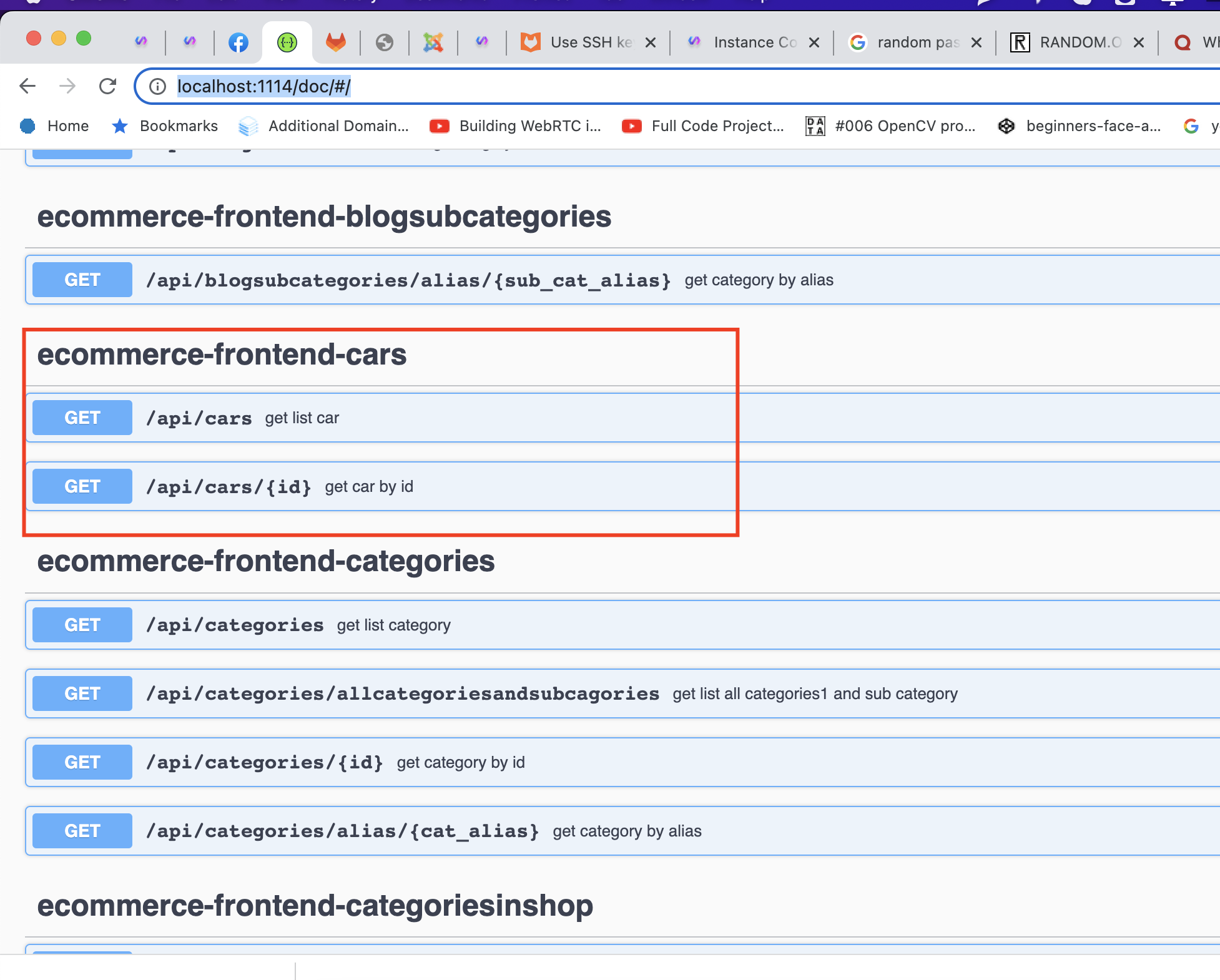
sau đó bạn mở website http://localhost:1114/doc/#/
Nếu bạn thấy api car này thì bạn đã thành công trong việc hiển thị api doc rồi

Chưa có câu hỏi nào cho bài này.